Zeroslack V3
Time tracking that builds trust — not frustration.
Live attendance, payroll-ready exports, mobile geofencing, and terminal health — in one system built for South African teams.

Time tracking that builds trust — not frustration.
Live attendance, payroll-ready exports, mobile geofencing, and terminal health — in one system built for South African teams.
"We believe every organisation deserves clarity, momentum, and a workforce that's on track—not buried in spreadsheets."
What V3 brings you
From live attendance to payroll-ready exports, from mobile clocking to desktop productivity—V3 connects it all so your HR, payroll, and operations teams can move with clarity and confidence.
Know who's on site right now. Real-time awareness at a glance—not yesterday's spreadsheet.
Full clocking history, GPS verification, and controlled adjustments—payroll on facts, not guesswork.
Calculate wages, generate exports for your payroll provider, and track every handoff—all in one flow.
AI surfaces attendance summaries, punctuality trends, and anomalies—raw data into decisions.
Live Workforce Visibility
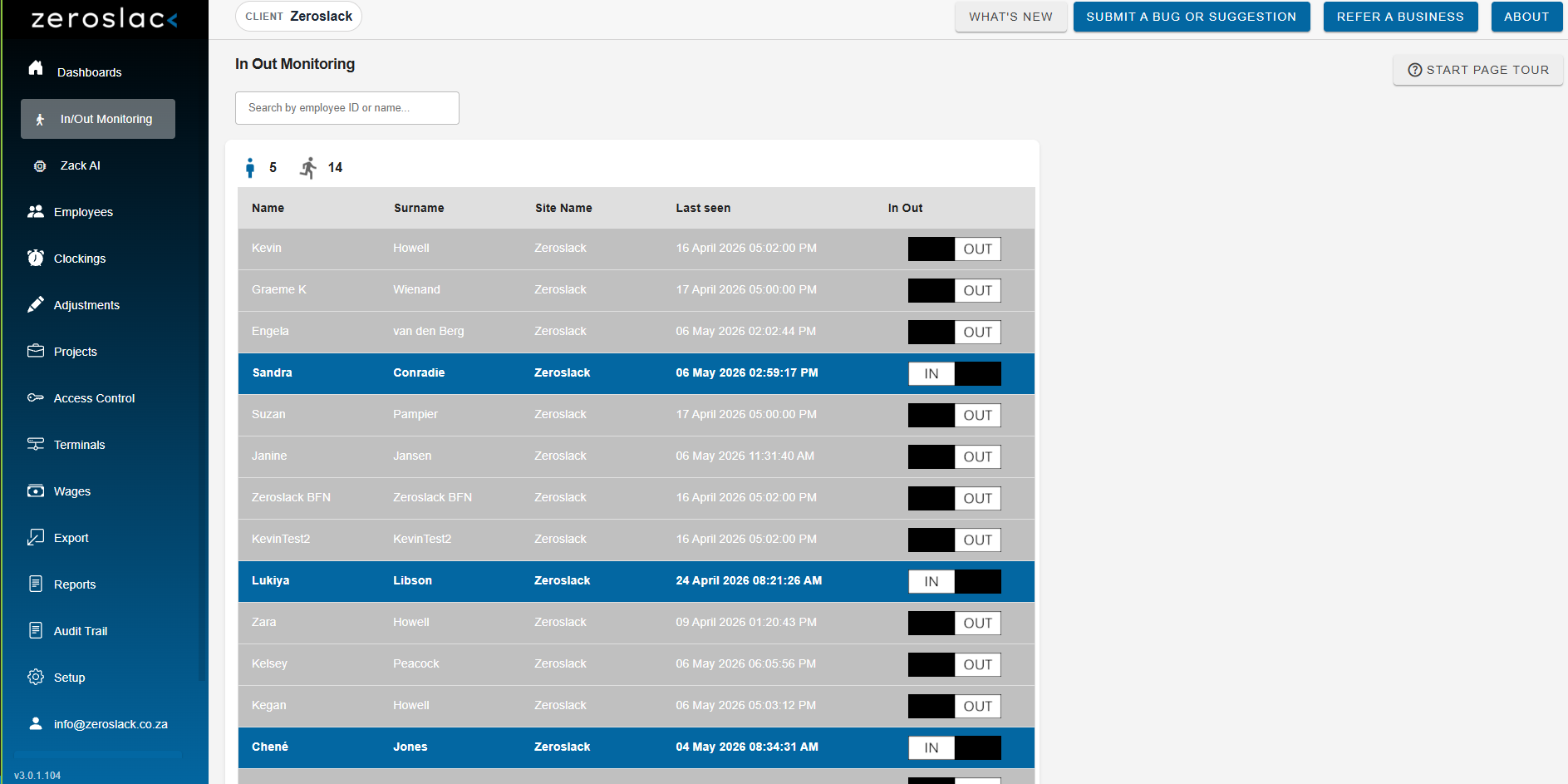
In/Out Monitoring gives HR and operations teams a live roster view—who's clocked in, who's out, and when they were last seen. No refreshing. No guessing.
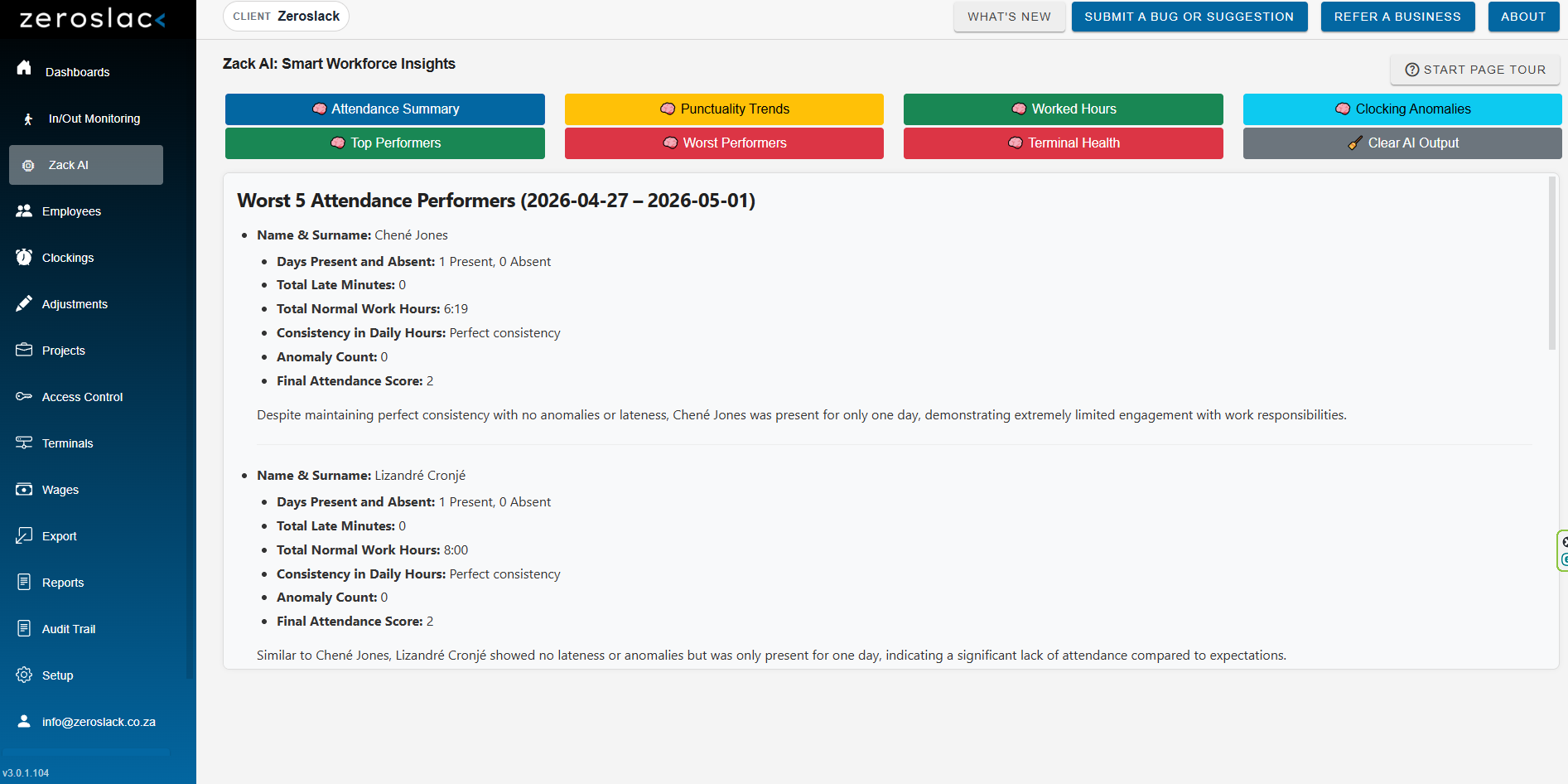
Pair it with Zack AI, and your attendance data becomes dialogue. Attendance summaries, punctuality trends, top and worst performers, clocking anomalies, and terminal health—all surfaced automatically.
Operational awareness, not just end-of-month reports.
Trustworthy Time Data
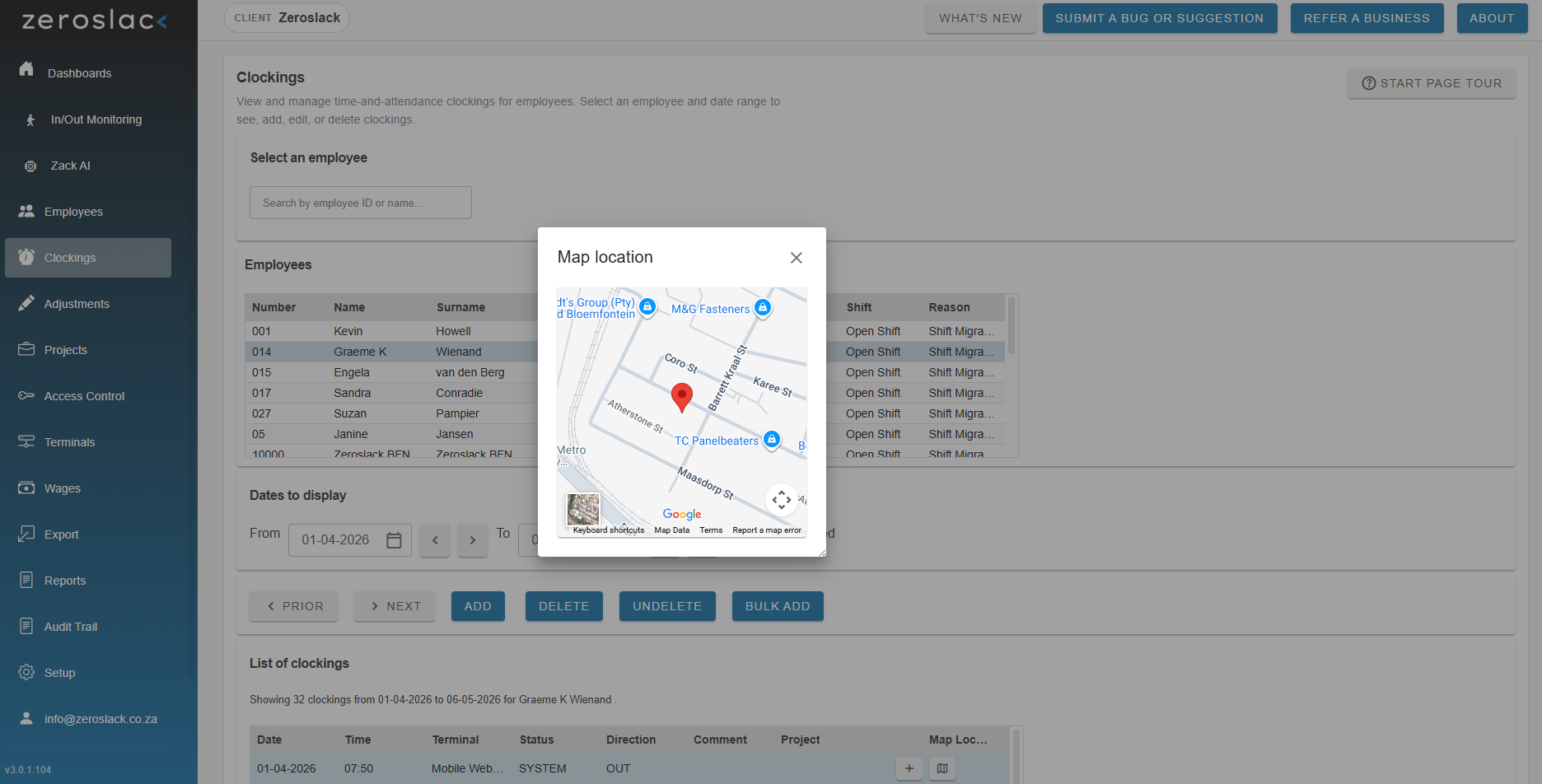
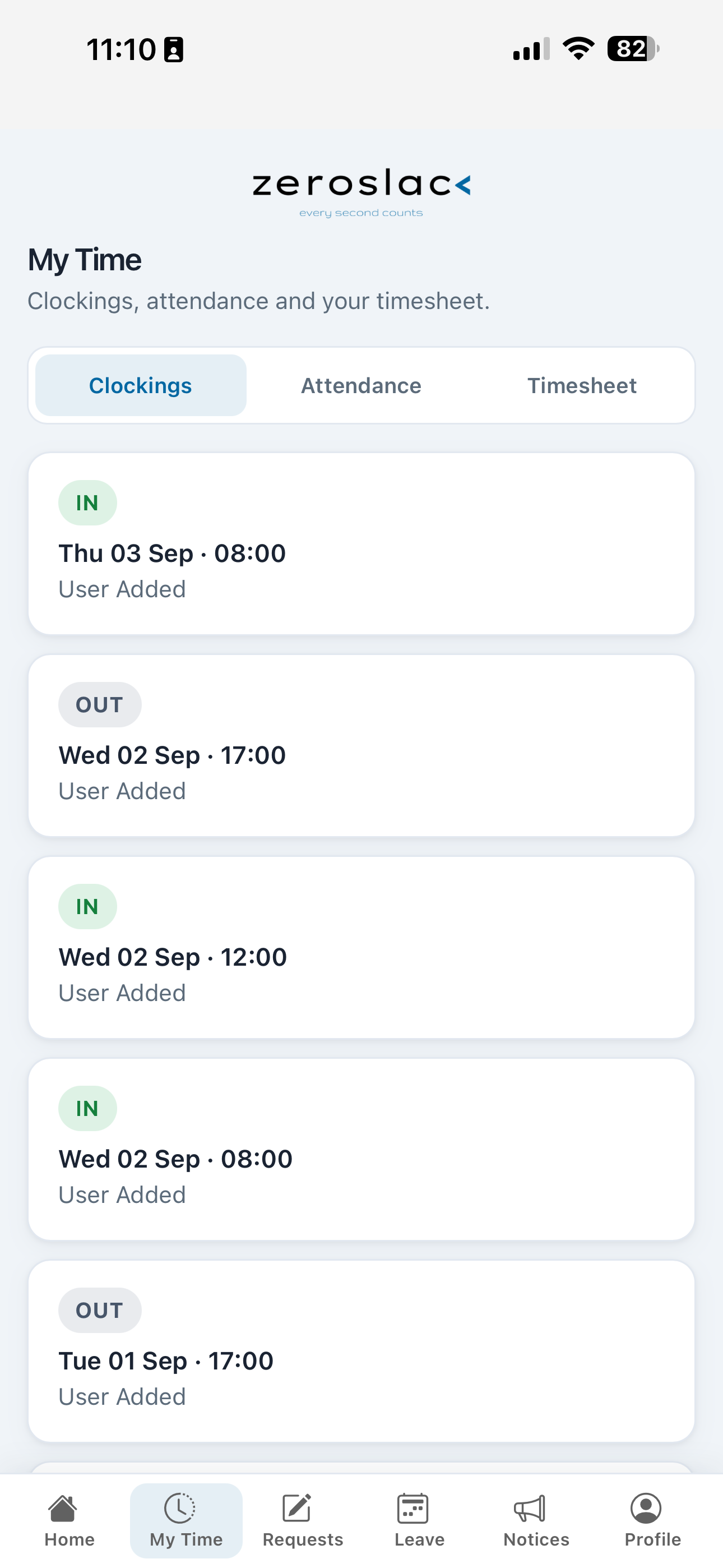
Every clocking event is captured with timestamp, terminal, direction, and—where mobile clocking is used—a verified GPS location. Search by employee and date range in seconds.
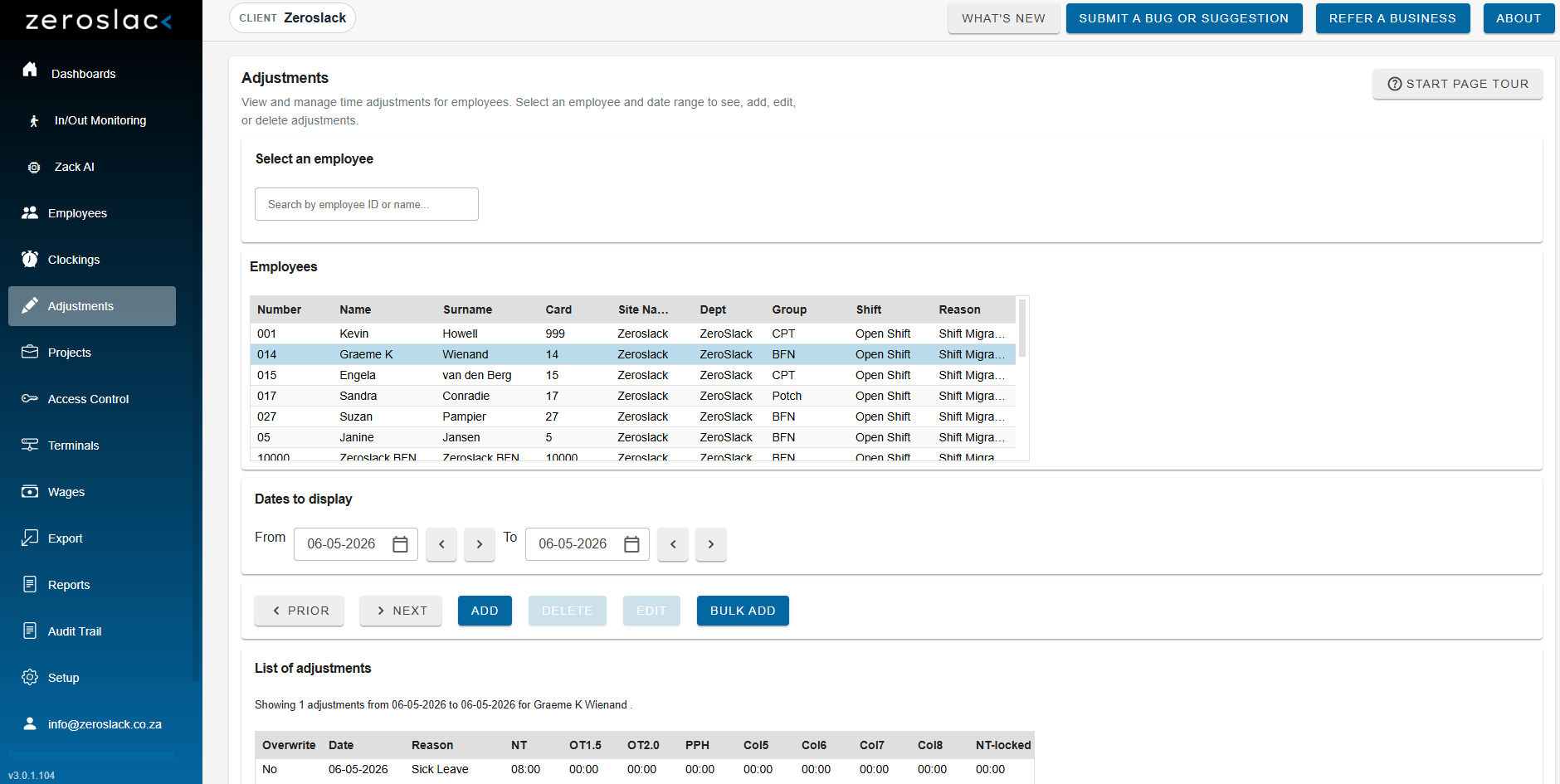
When corrections are needed before payroll, Adjustments handles them in-system. No parallel spreadsheets. No undocumented overrides.
Fix errors before payroll—not after the fact.
Time Workspace
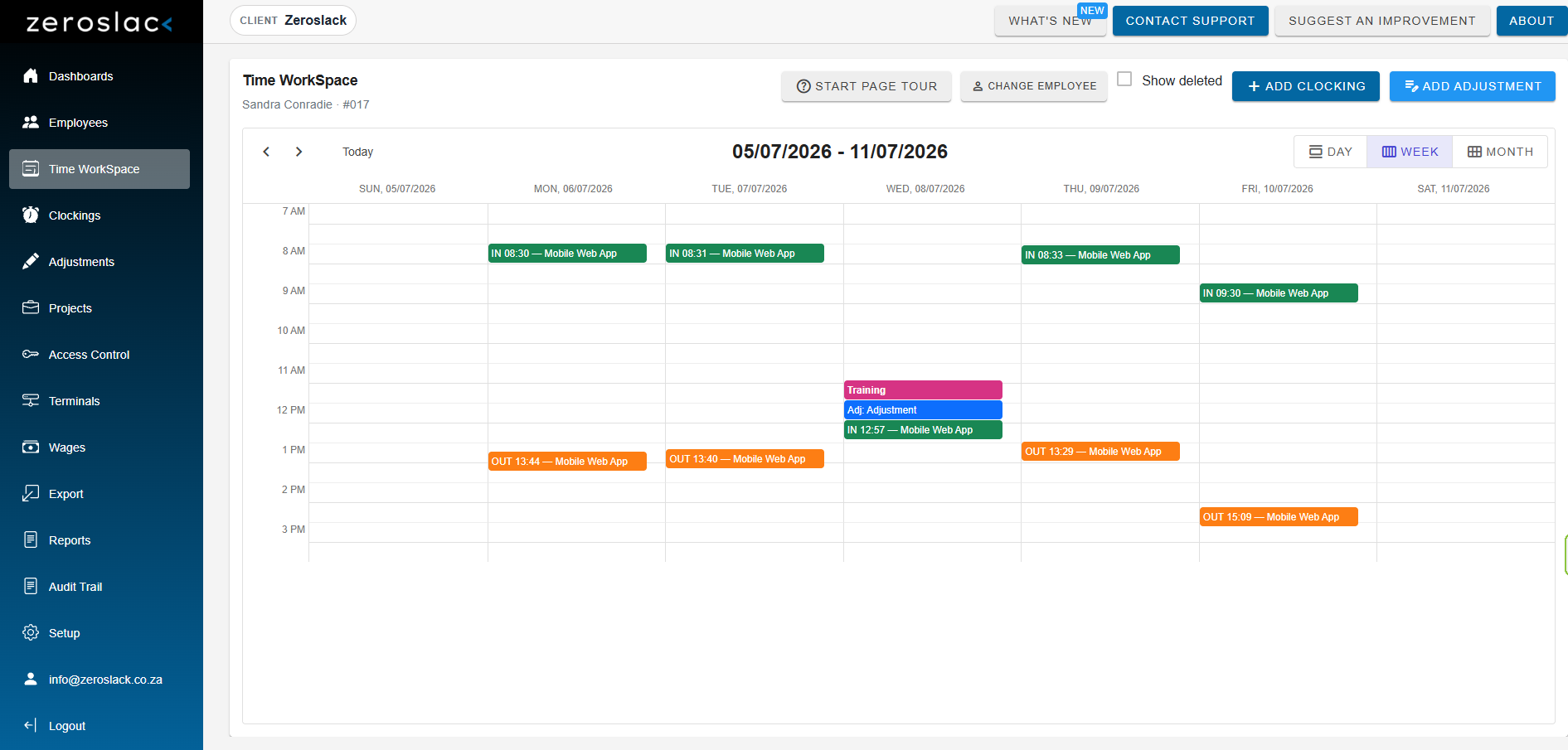
Time Workspace is the visual space where everything that happened for an employee comes together. Select a person, and their clockings, adjustments, site holidays, and leave appear on a single calendar.
Once an employee is selected, switch freely between Day, Week, and Month views. Dig into a single shift when you need detail, or zoom out to spot patterns before they become payroll surprises.
One calendar. The full picture. Built for HR and managers who need context, not clutter.
Workforce Administration
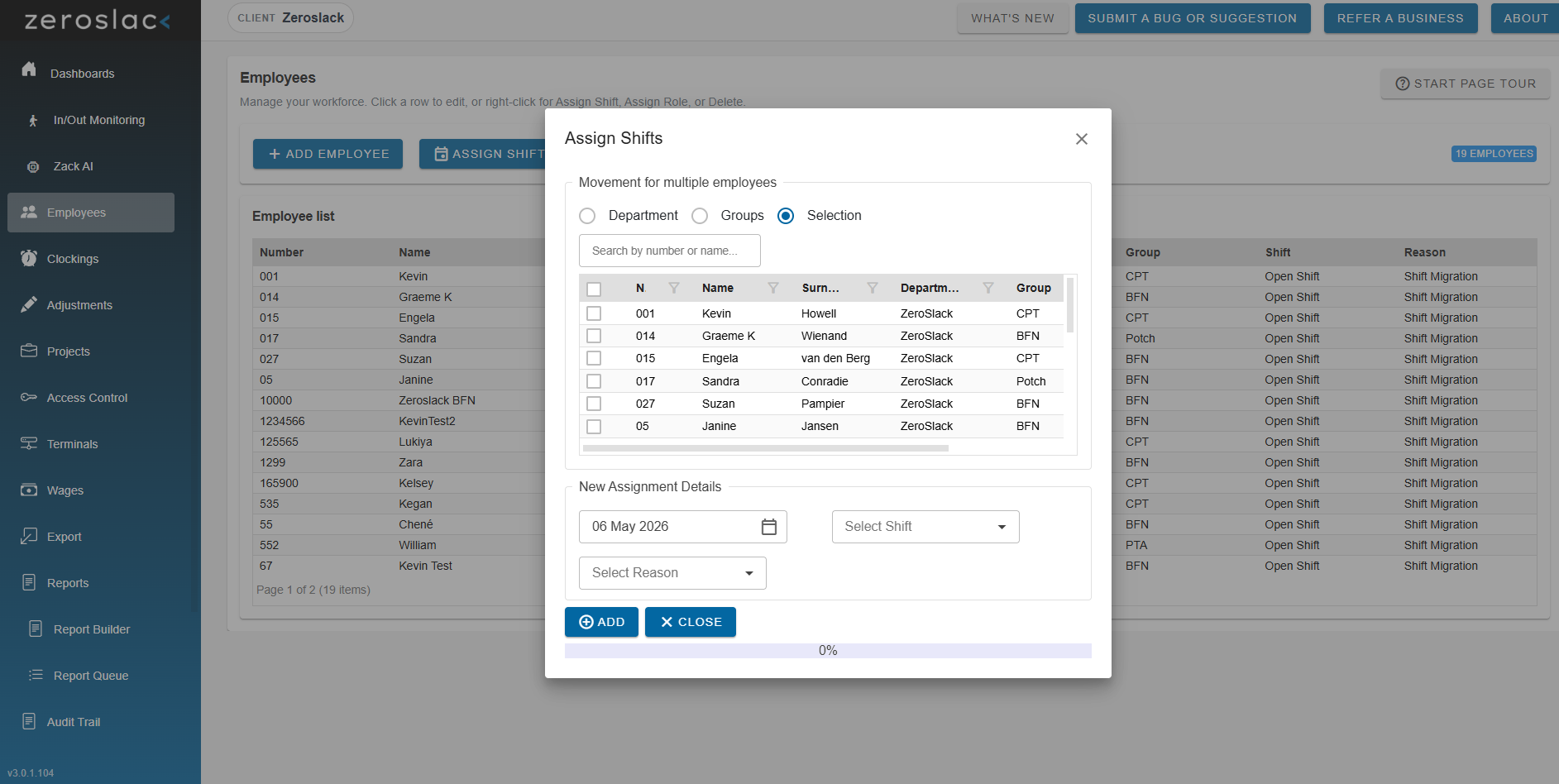
The Employees module is the central hub for your workforce. Add employees, manage records, and assign shifts to individuals, groups, or entire departments in a single action.
For organisations using biometric terminals, Fingerprint Management lets you retrieve, manage, and push fingerprint templates across all your Zack units from one screen.
Scalable workforce management—nothing you don't need.
Job Costing
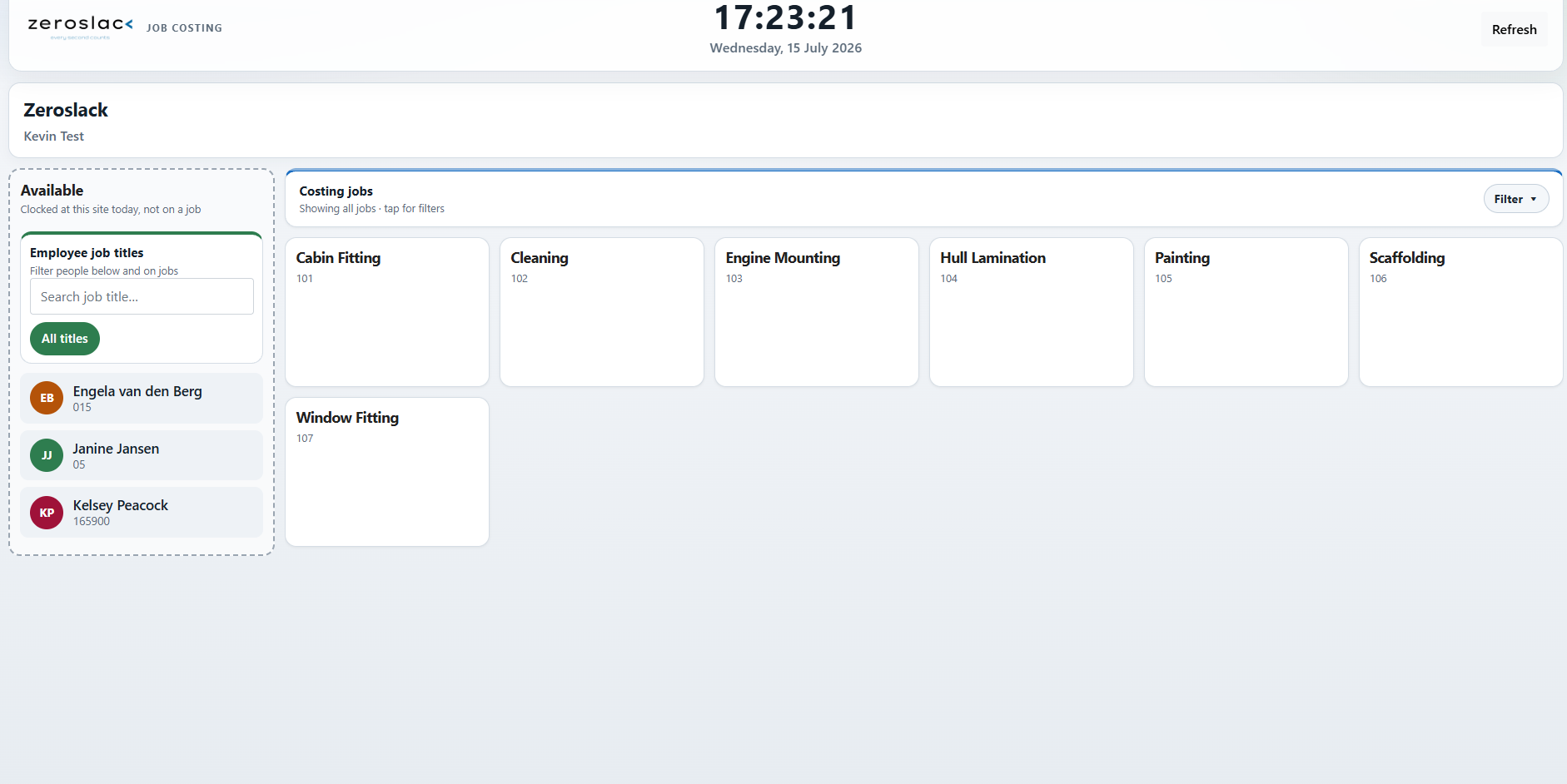
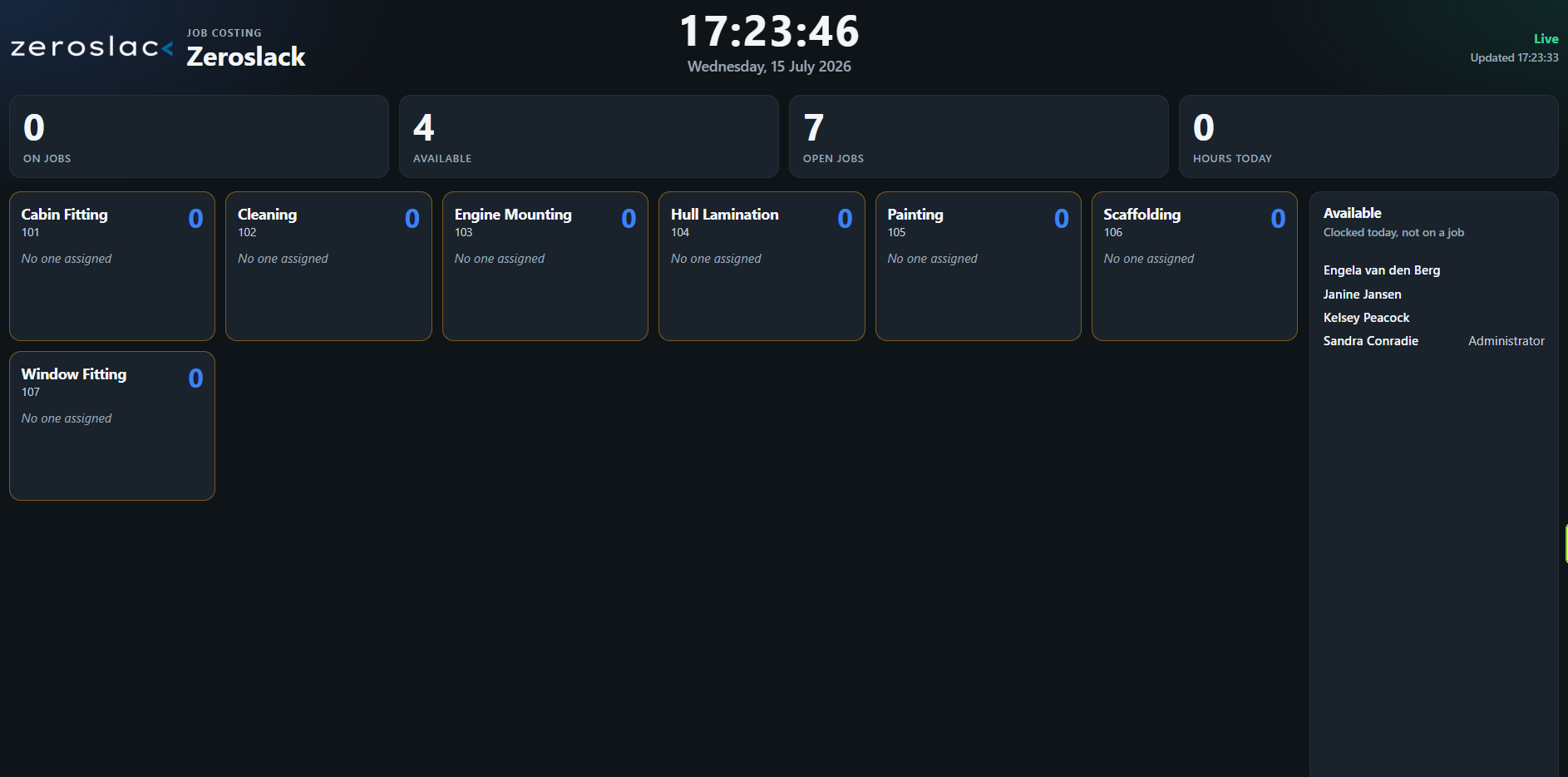
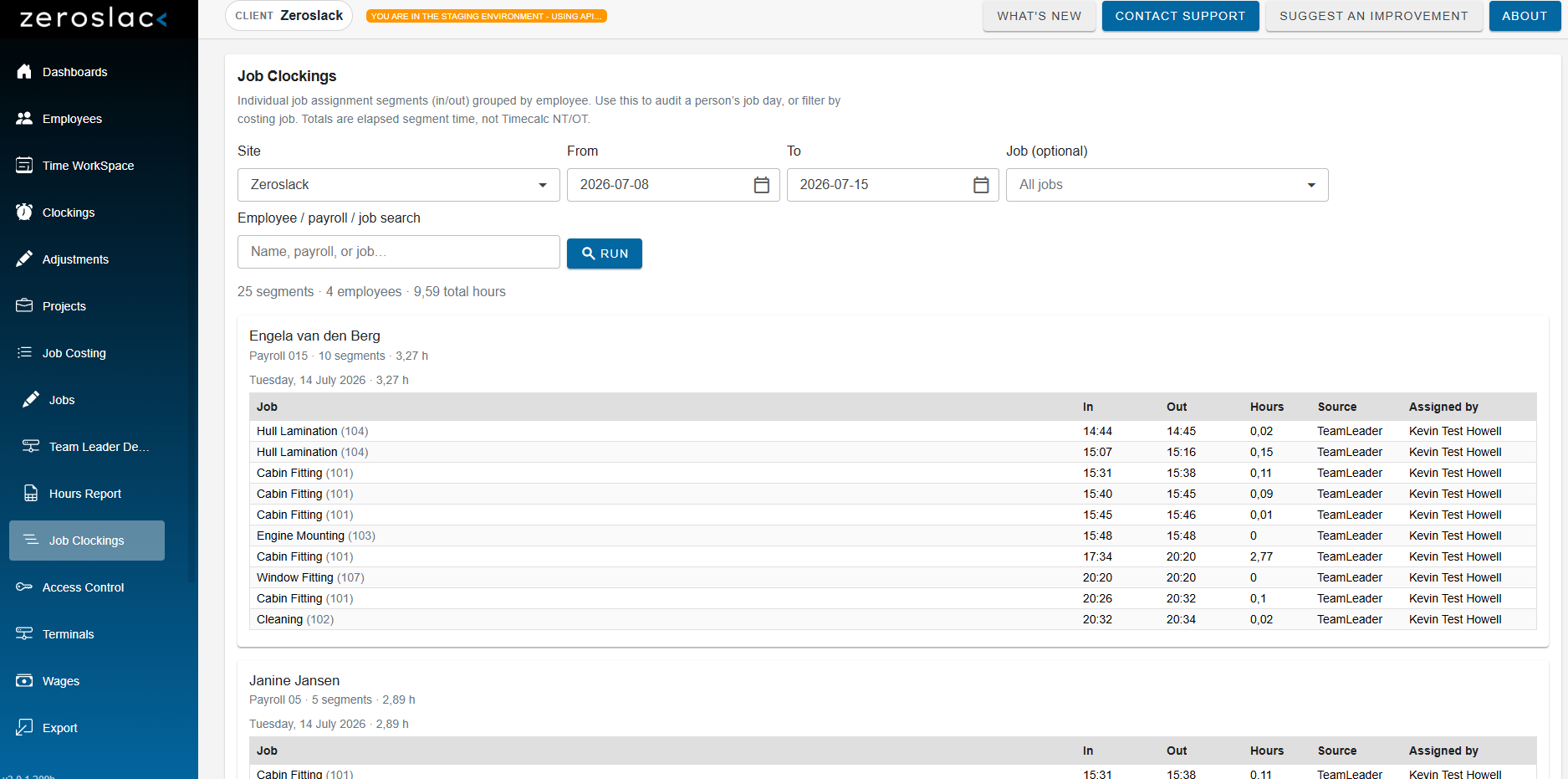
Job Costing shows where people spend their time on site jobs, on top of normal Time & Attendance. Staff still clock at the terminal; supervisors put them on jobs so you can see labour against work—not just “present.”
On the floor, the team-leader board stays locked to one site so supervisors can assign, move, or remove people from jobs in real time. The Wallboard TV shows who’s on which job for the factory floor.
After the shift, the Hours report shows time spent per job for any date range.
Labour against work—visible live, measurable later.
Payroll Preparation & Outputs
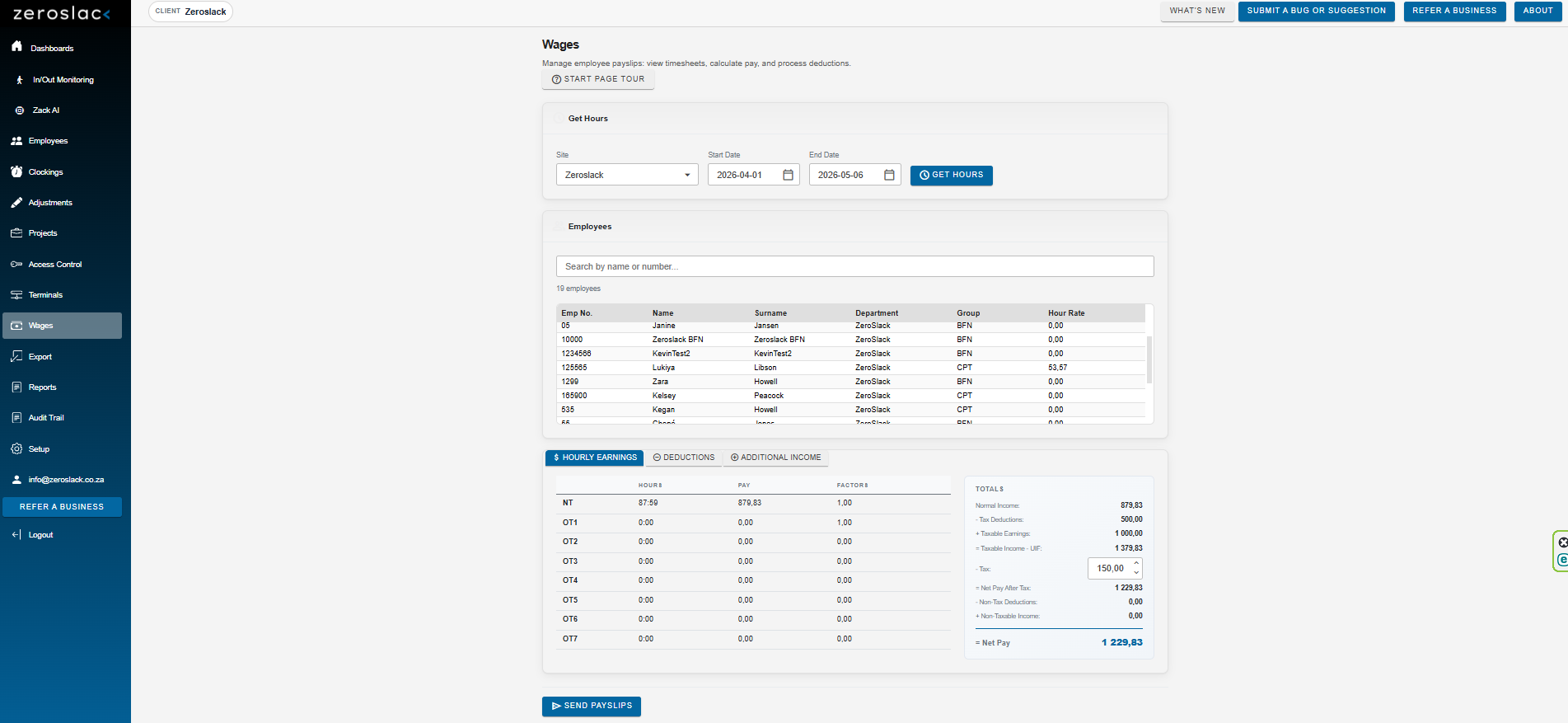
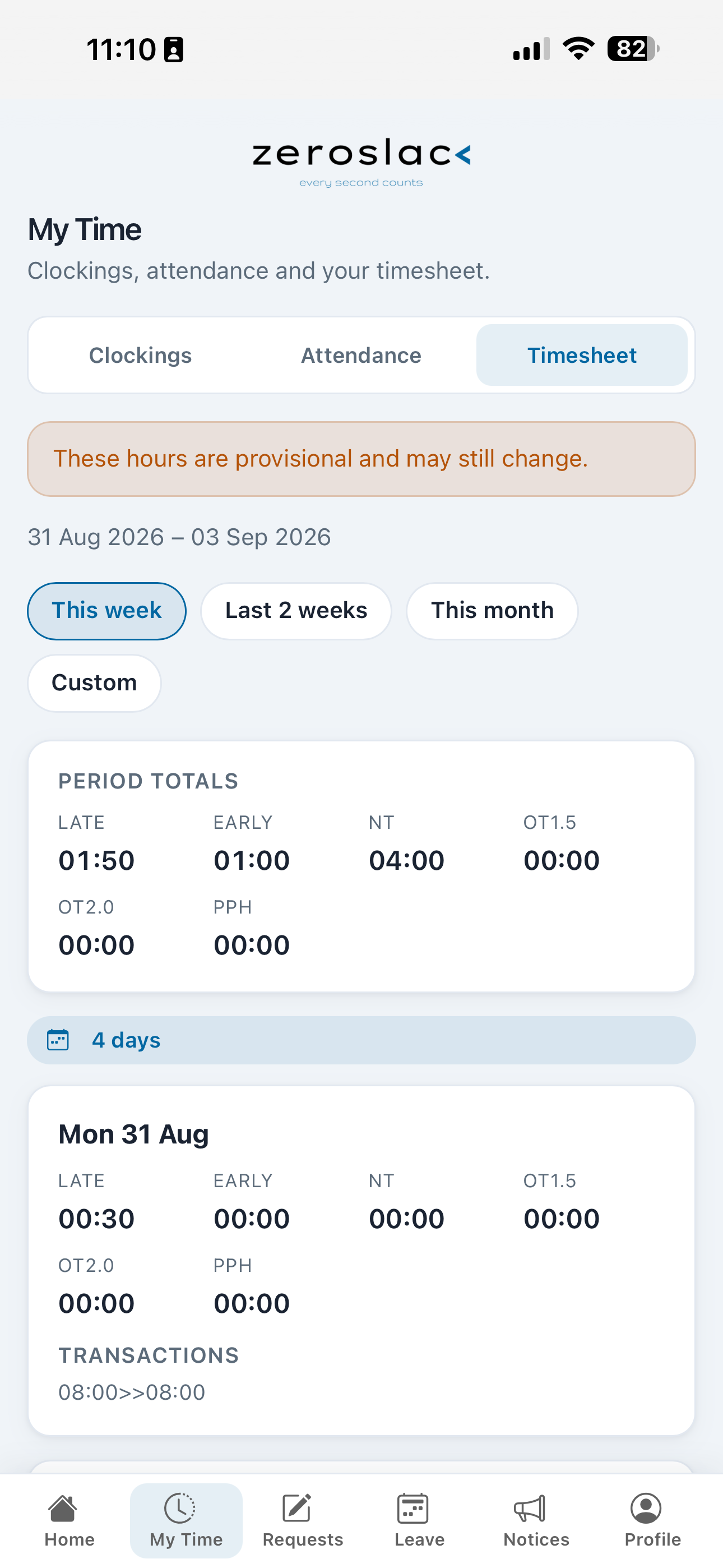
The Wages module pulls hours directly from clocking data, calculates normal time, overtime, deductions, and net pay—giving payroll teams a clear, audit-ready summary before anything is exported.
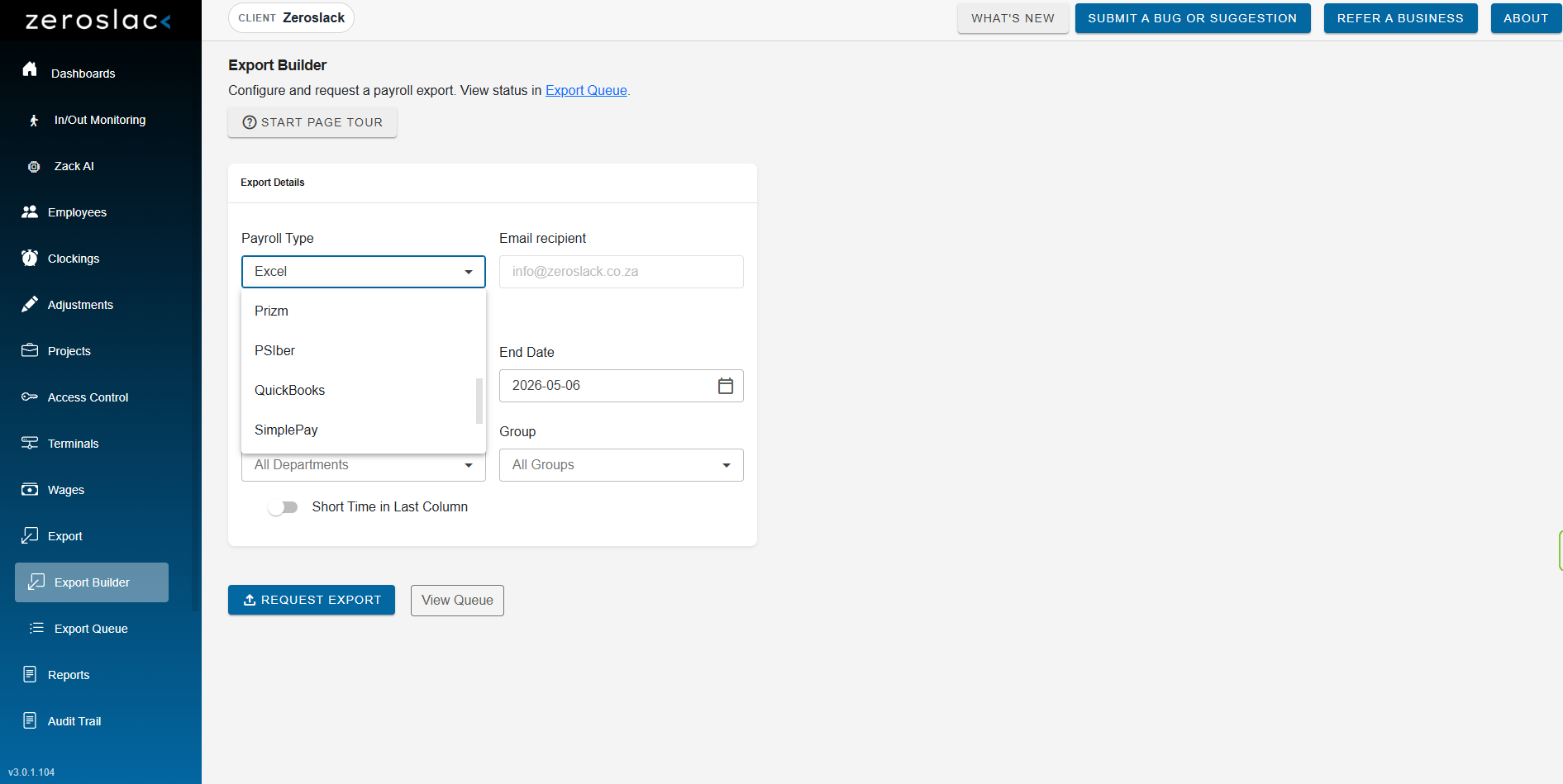
Use the Export Builder to generate payroll-compatible files for your provider—including Excel, Prizm, PSIber, QuickBooks, and SimplePay. We also link to Sage and And Deal (Payspace), and we can integrate with any payroll system that has an API. The Export Queue tracks every file request.
Bridge the gap between attendance and payroll—without the manual work.
Reporting
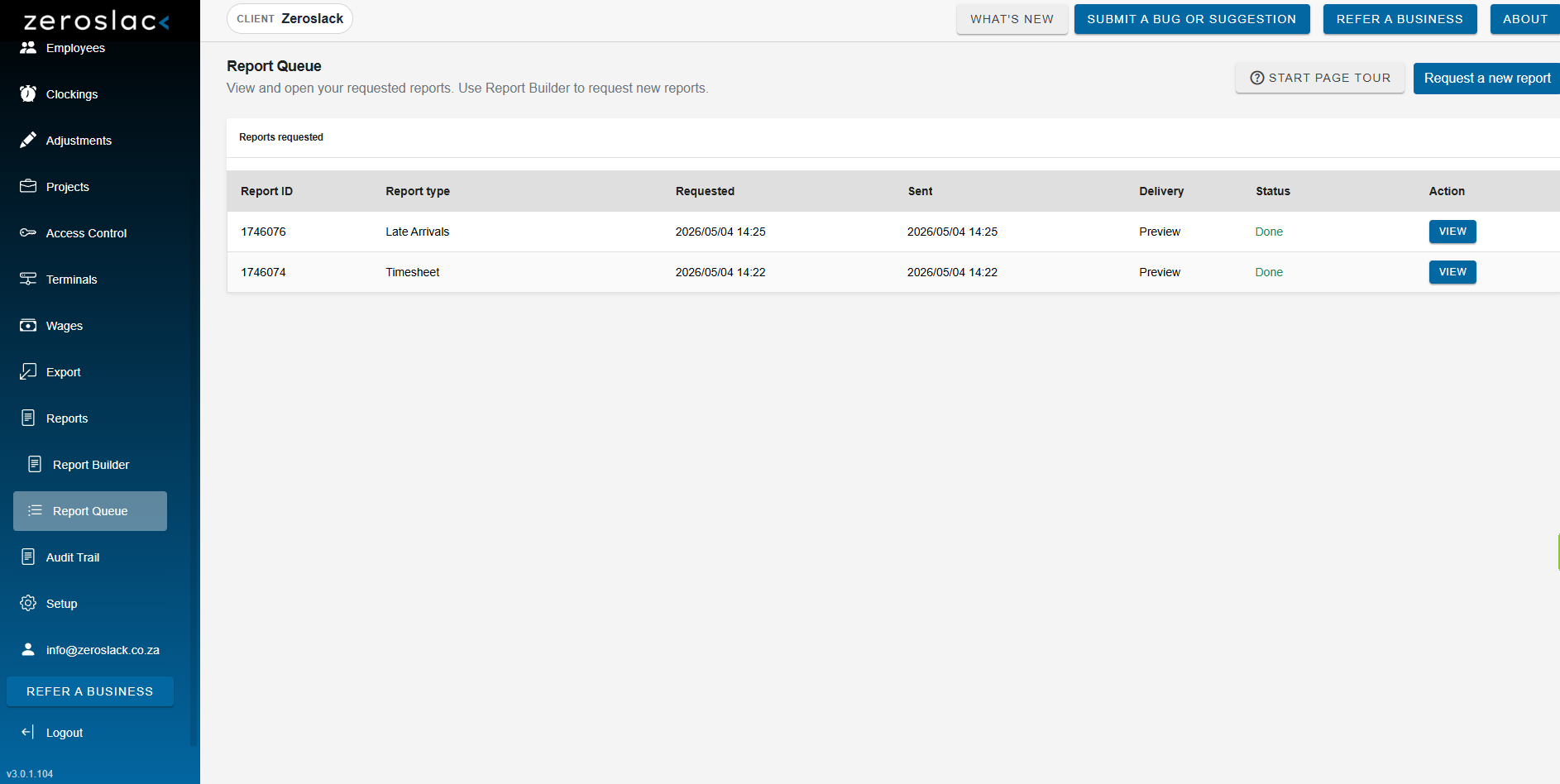
Choose from over 25 T&A reports in the Report Builder—timesheets, late arrivals, and more. Set your date range, employee scope, and delivery email. The Report Queue tracks every request and makes each output instantly viewable.
Reports your team will actually use—and your managers and employees will trust.
Hardware Reliability & Scale
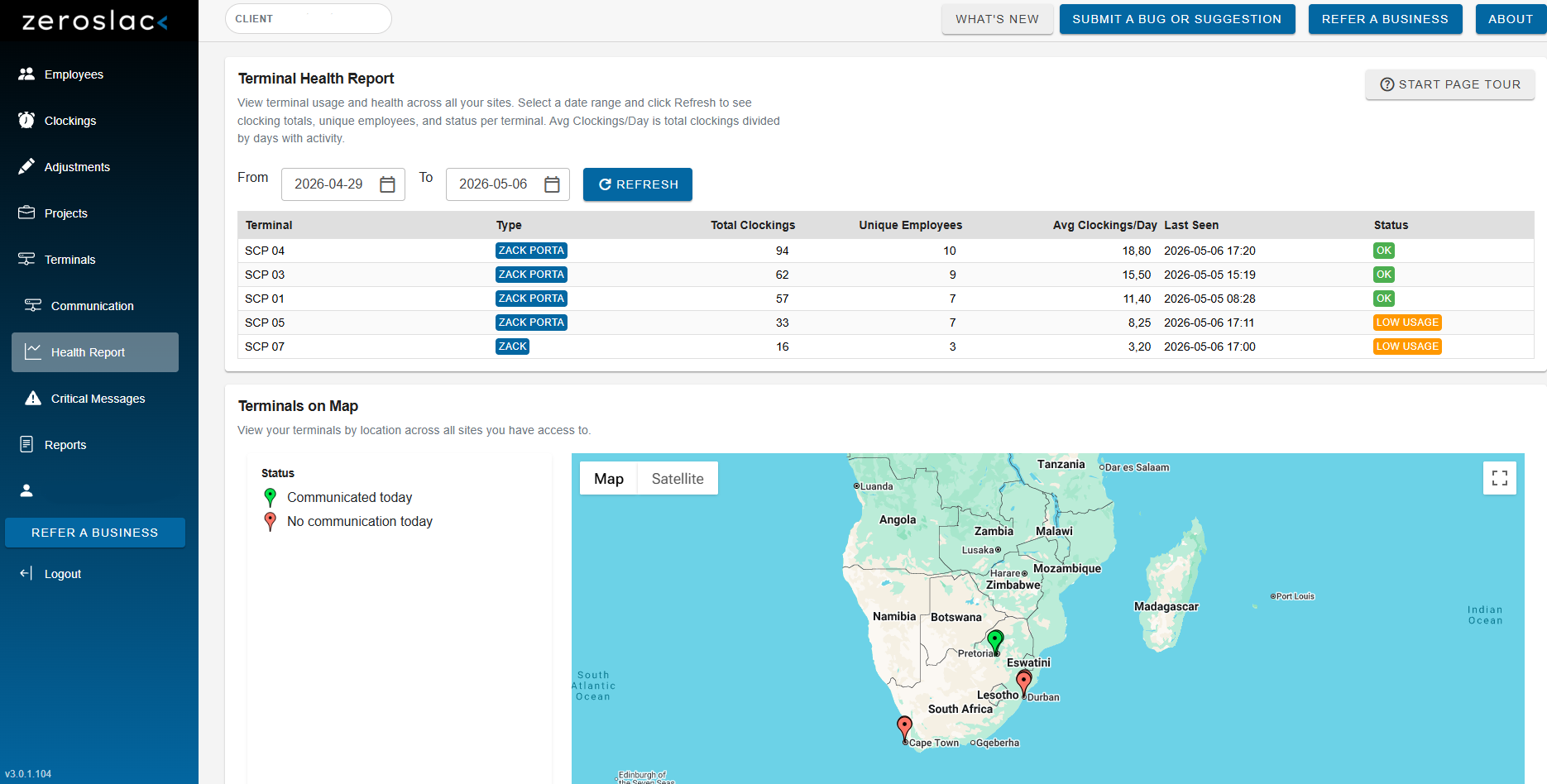
The Terminal Health Report provides usage metrics, unique employee counts, and terminal status across all your sites—with a live map showing where each Zack unit is located.
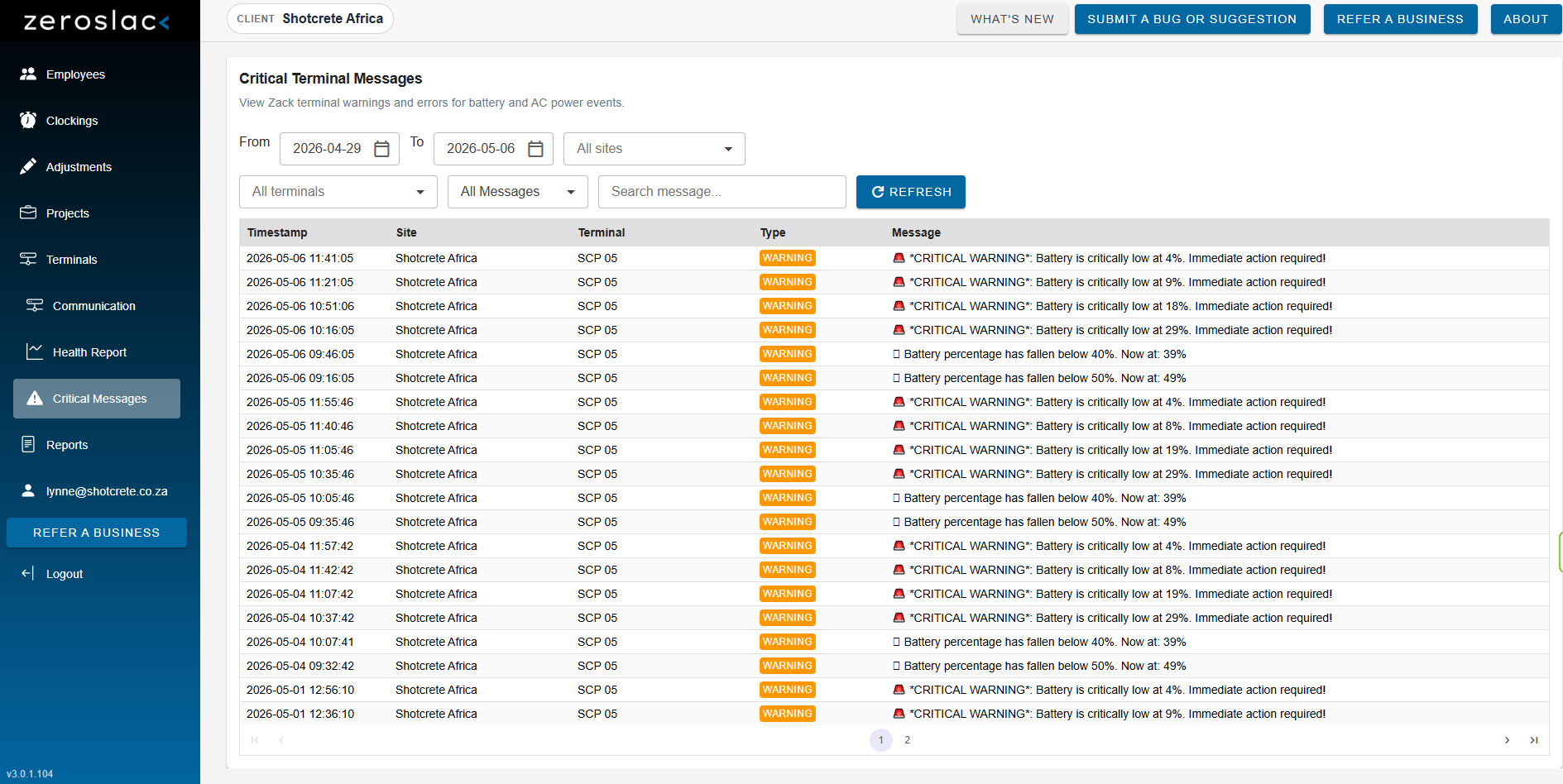
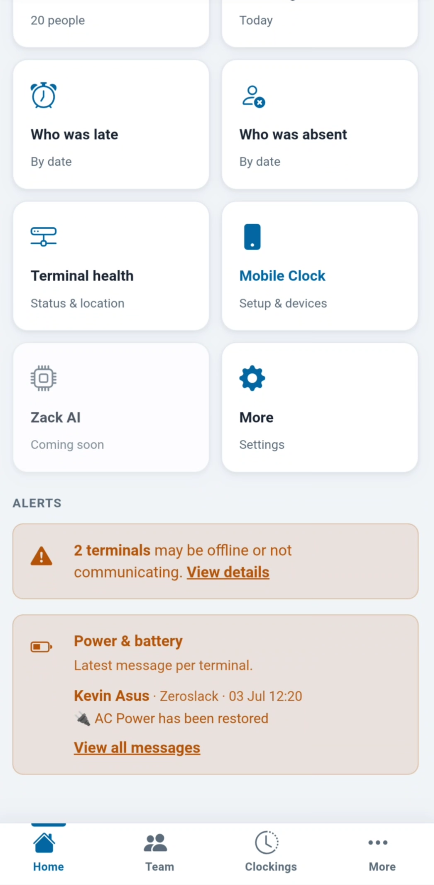
Critical Terminal Messages proactively alert you to battery warnings and AC power issues before employees can't clock in.
Fix hardware issues before they become HR problems.
Mobile & Location-Based Work
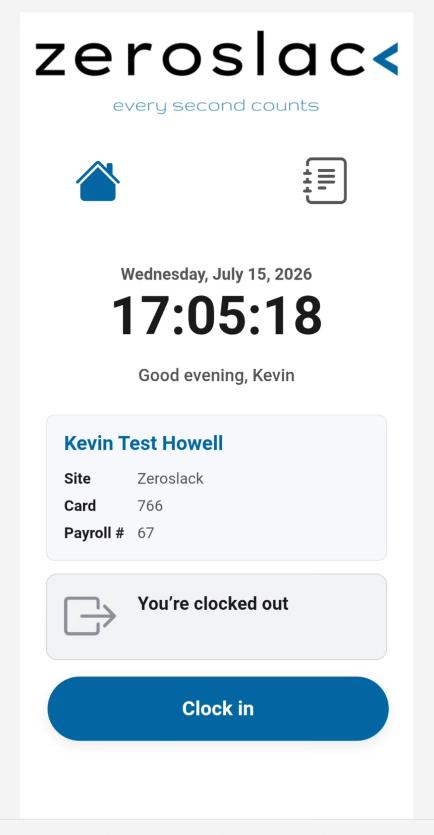
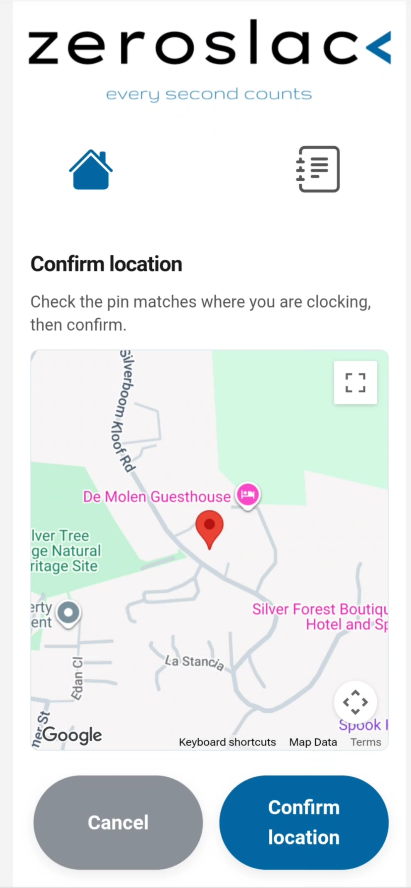
Employees without a fixed Zack unit clock in from the mobile app—simple, fast, and ready wherever the work is. Every clocking can be tied to a verified location.
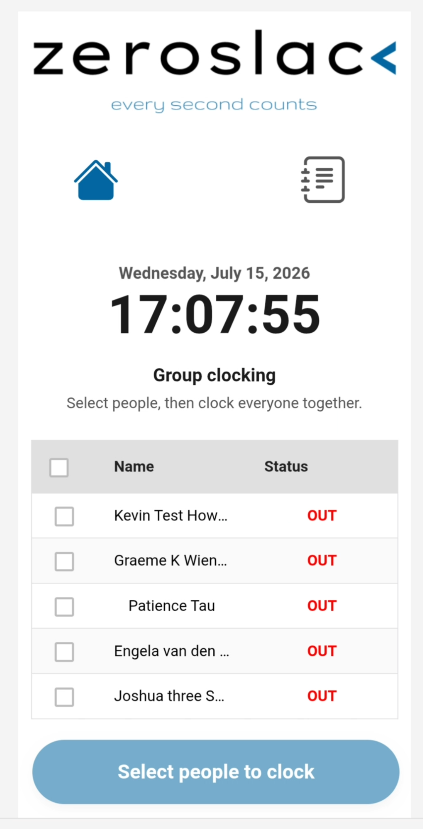
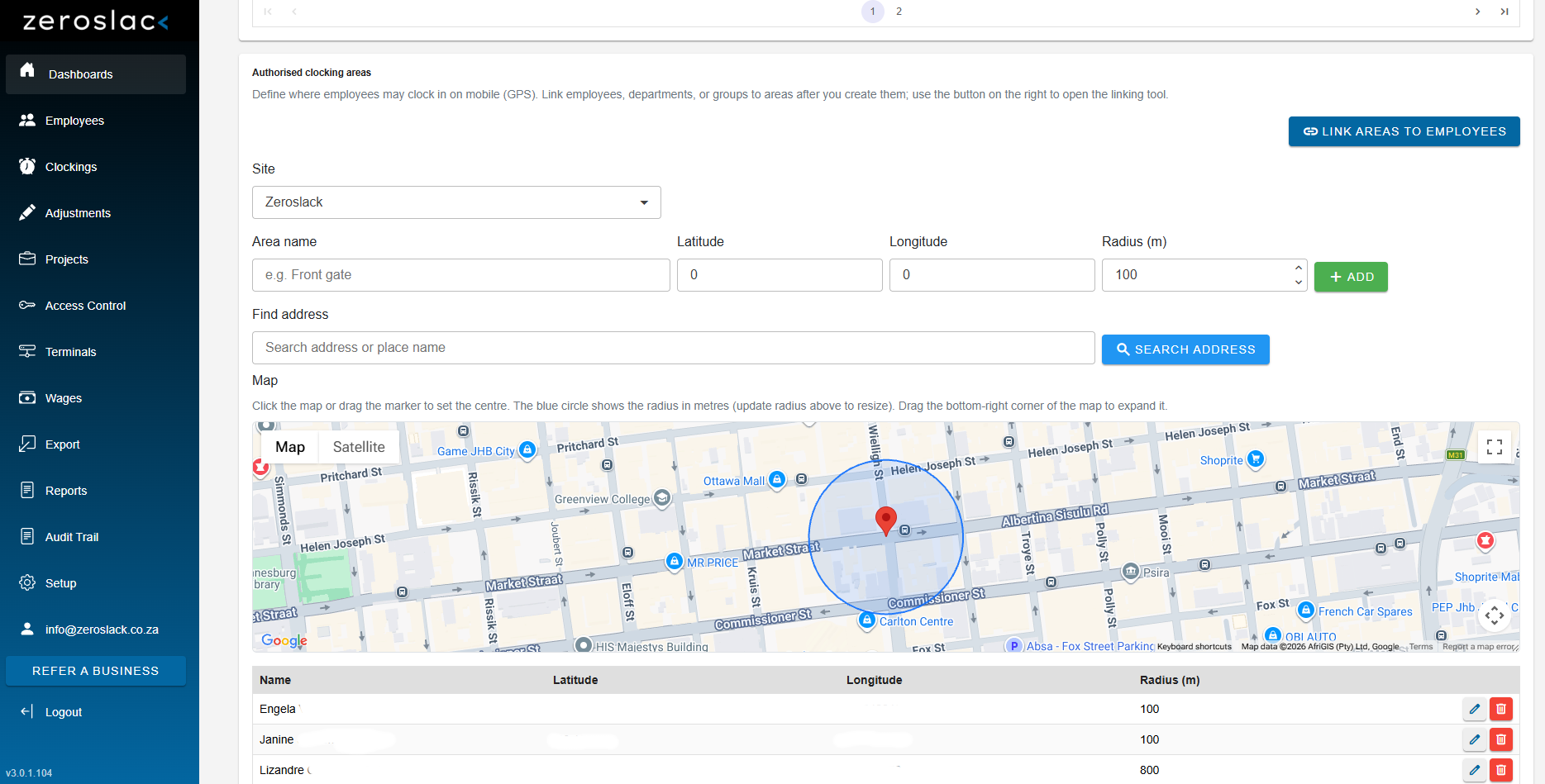
Geofencing keeps attendance honest. Group clocking lets a supervisor clock a crew together. Pair that with Projects to tie clockings to jobs or cost centres.
Your field teams are accounted for—individually or as a group.
Management App
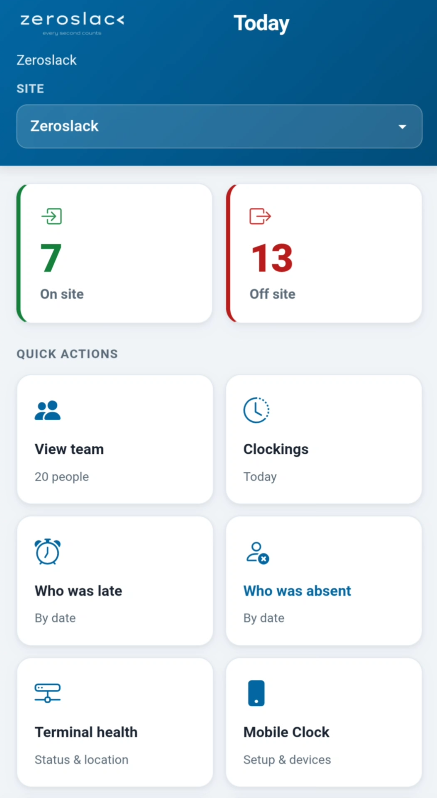
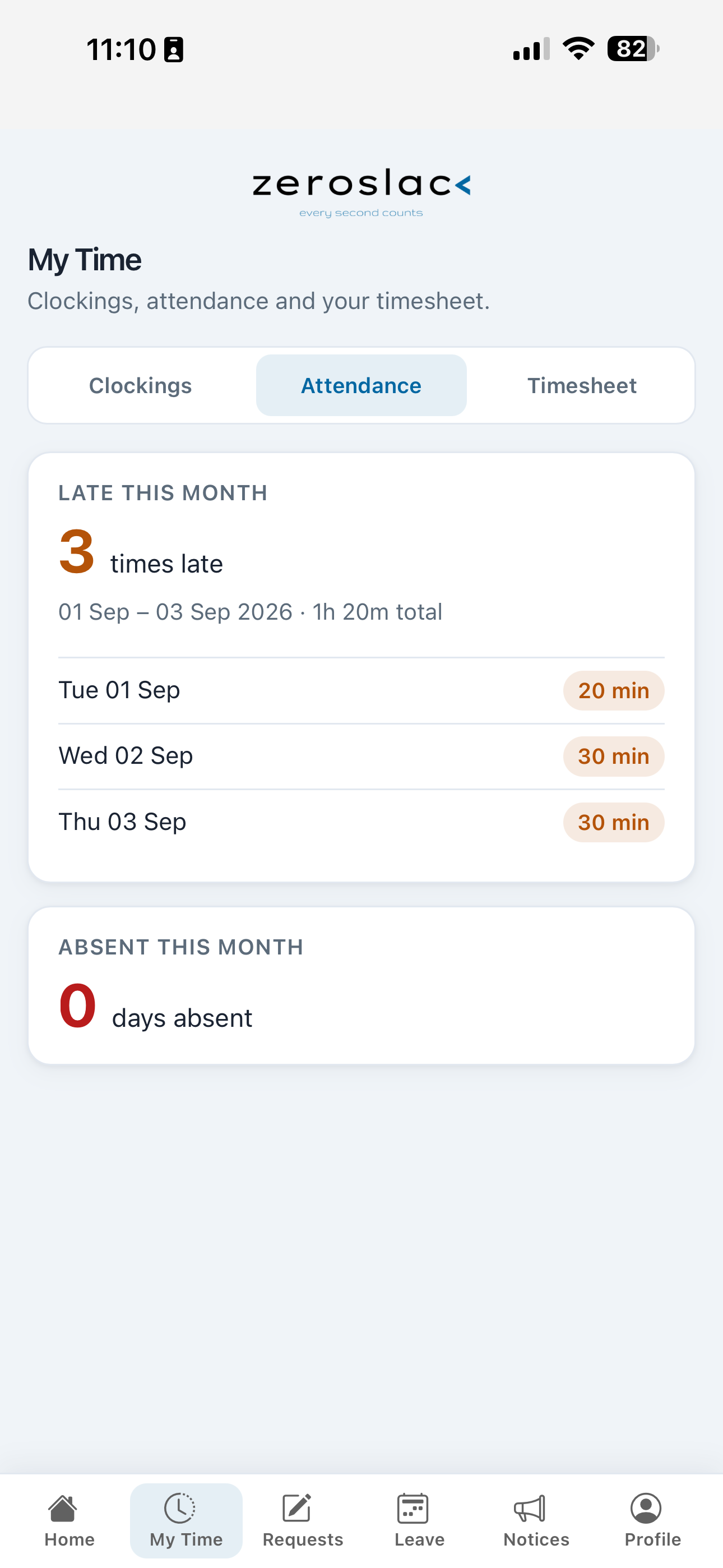
The Management App puts live site oversight on a phone. See who is on site and who is off site for today, switch between sites, and open the views that matter without logging into a desktop.
Quick actions get you straight to the team list, today’s clockings, who was late, who was absent, terminal health, and mobile clock setup.
Real-time attendance oversight, exception checks, and terminal alerts—wherever your managers are.
Employee Connect App
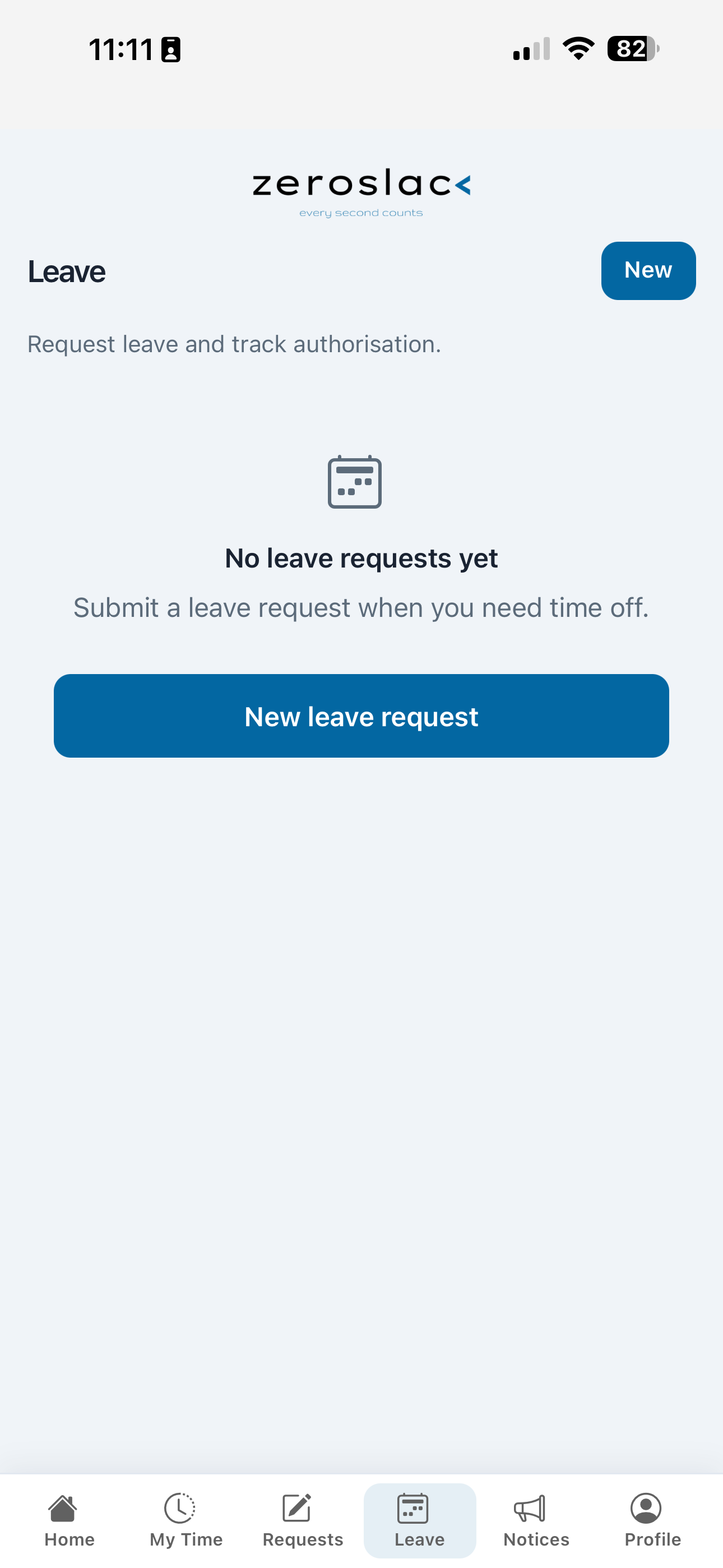
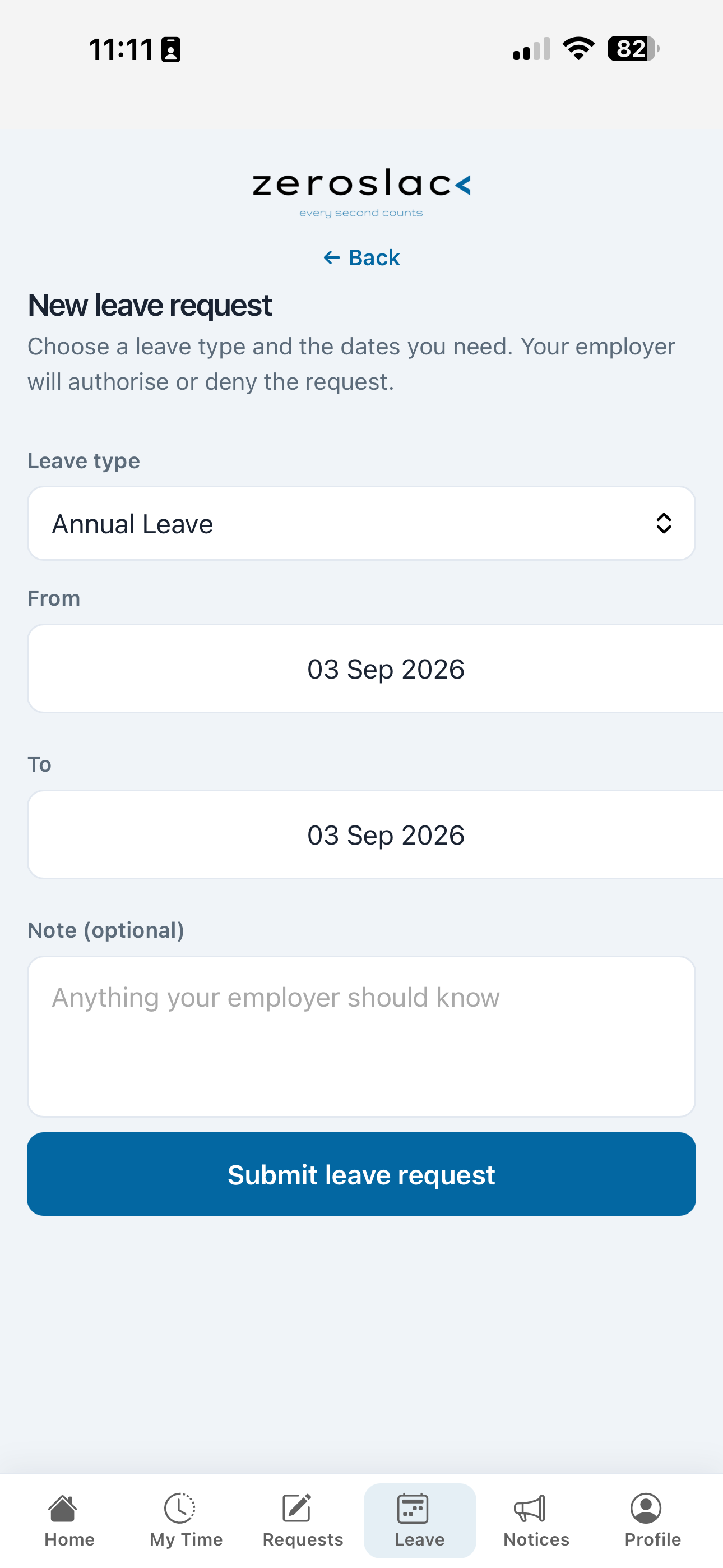
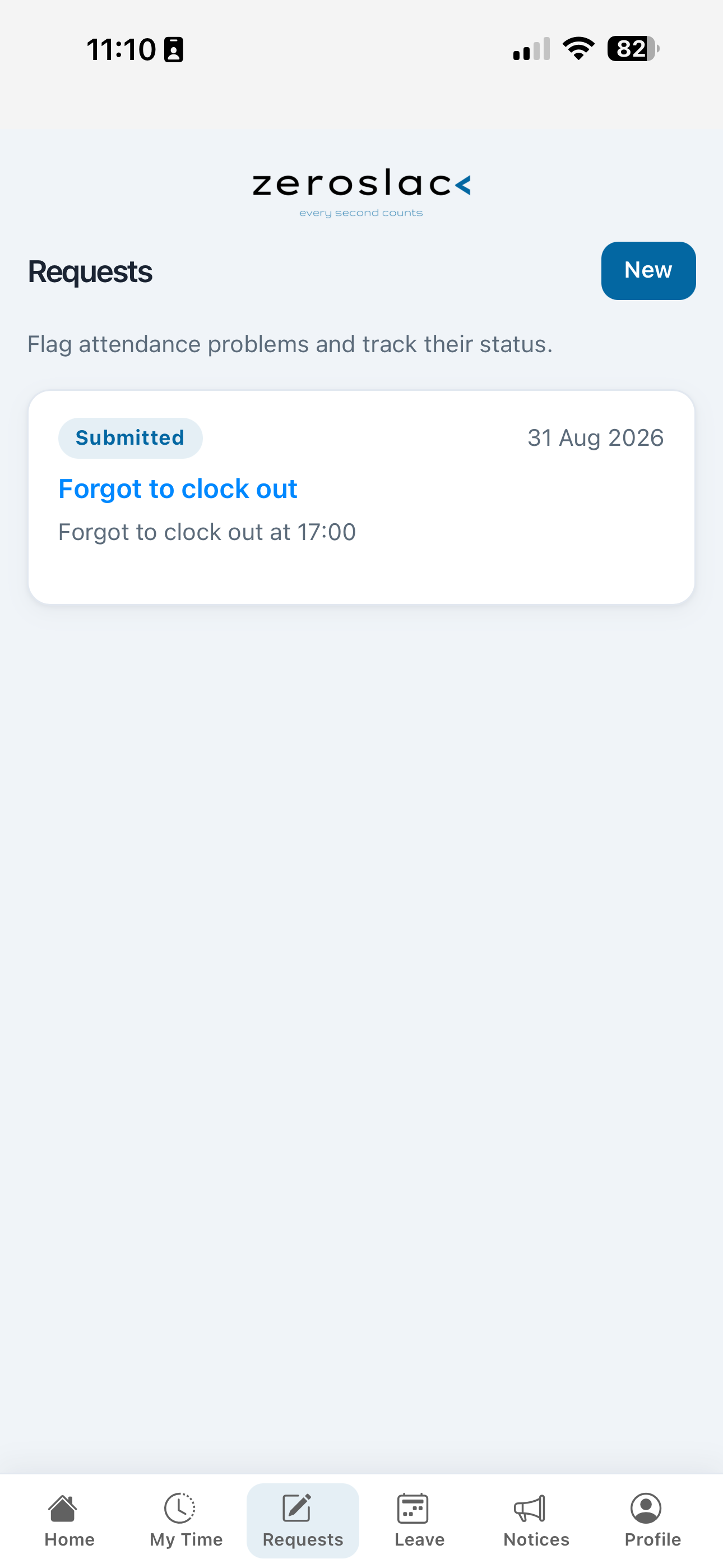
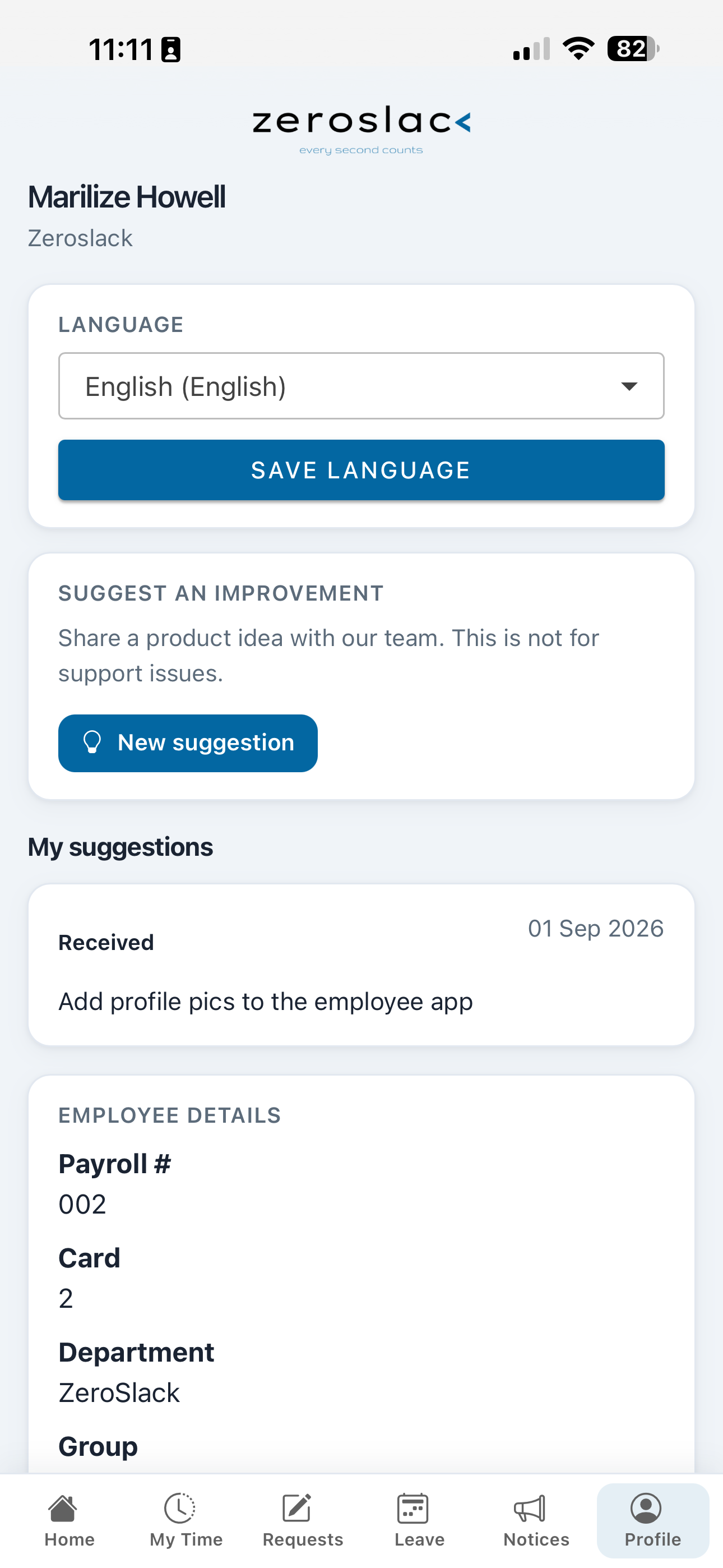
Employee Connect is self-service attendance for staff. They scan a site QR, verify with SMS, and open the app on their phone—no ZeroSlack login required. HR and managers spend less time answering the same hours and leave questions.
Fewer “what are my hours?” calls. More trust in the data employees can see themselves.
Productivity App
Clocked in is not the same as switched on at the keyboard. Built for desk-based staff who spend their day on a PC, the Productivity App shows active versus idle time, top apps, and websites—for one person or the whole team—whether they work from the office, home, or another province.
Compare staff on a live today view or over a week, spot idle stretches, dig into apps and websites, and export Excel for a calm, evidence-based coaching conversation. Same portal. Same login.
Measure fairly. Motivate with facts. Wherever your people work.
Built With Purpose
Zeroslack was built on a simple belief: zero presence of carelessness, deceit, or complacency in any organisation. Every second counts.
We help organisations turn time data into trust—rewarding consistent behaviour, spotting patterns early, and equipping managers with the clarity to lead well.
Let's get you set up. See V3 in action with your own data—no jargon, no pressure. Just reach out, and we'll take it from there.